CodexSwitcher: Multi-Account Switching for Codex on macOS
A native macOS menu bar app that adds, stores, switches, and observes multiple Codex accounts without replacing the active login until a transition is valid.
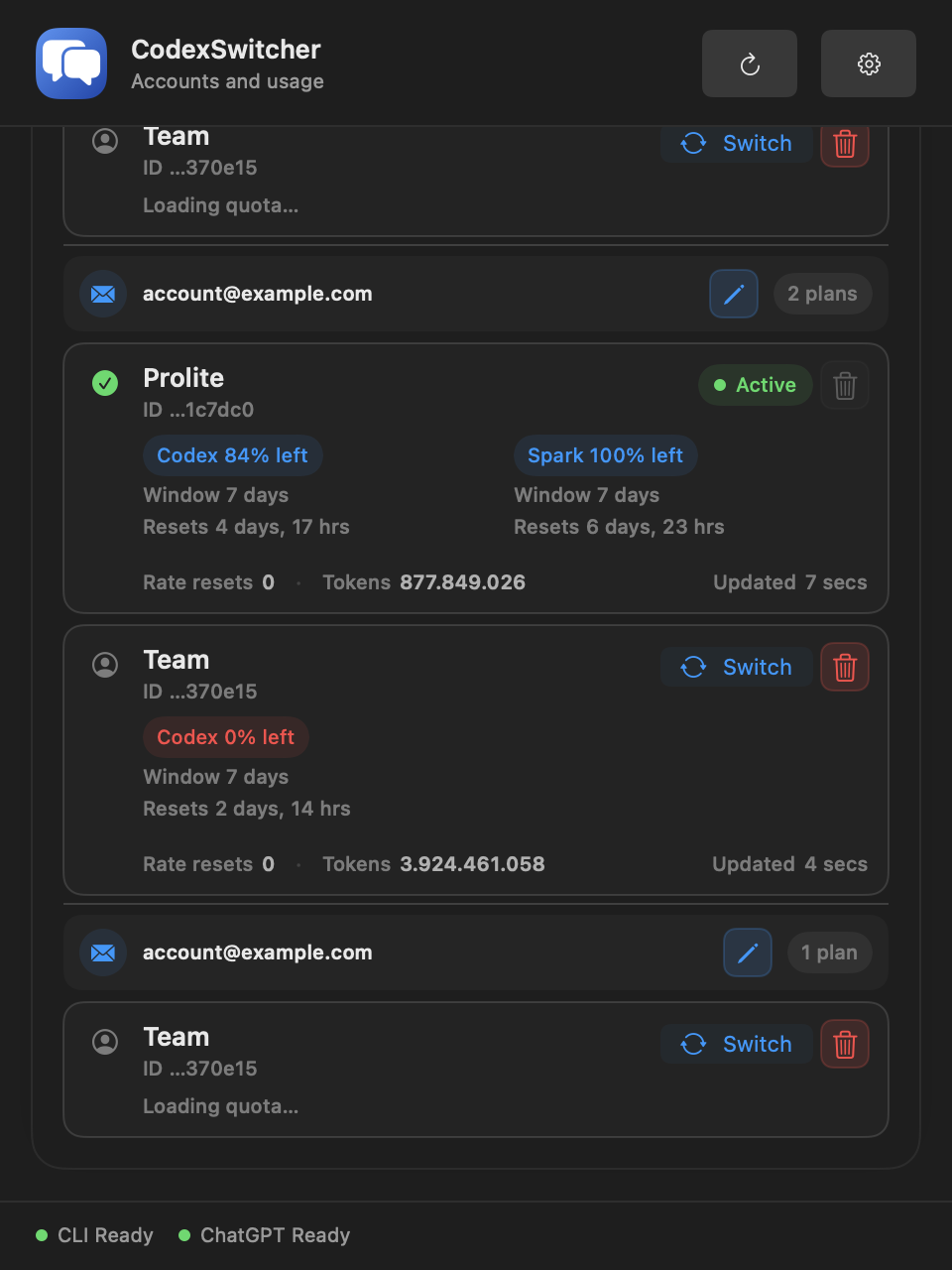
CodexSwitcher is a native macOS menu bar app for people who use more than one Codex account. It manages accounts used by Codex CLI and ChatGPT Desktop, keeps saved credentials in the macOS Keychain, switches the active Codex credential through an atomic file replacement, and reads usage for each saved plan.
The visible result is a profile picker. The engineering problem is the state transition behind that picker. A failed login must not replace the account that is already working. A switch must not expose a partly written auth.json. Reading quota for one account must not activate that account. ChatGPT Desktop may also keep an existing session in memory after the credential on disk changes.
This project examines those boundaries as one local system rather than treating account switching as a copy button.
What the app actually switches
Codex reads its active authentication data from $CODEX_HOME/auth.json, or ~/.codex/auth.json when CODEX_HOME is not set. CodexSwitcher changes this active file. It does not merge accounts or change a remote account.
Each saved profile contains two different kinds of state:
- Profile metadata has a local UUID, an identity snapshot, a credential fingerprint, creation time, and last-used time. It is stored in
UserDefaults. - Credential data is indexed by that profile UUID and stored in one Keychain item under the app’s service name.
Email, account ID, user ID, and plan type are extracted from the auth JSON and its ID-token claims when available. The complete credential remains separate from the ordinary interface state. A SHA-256 fingerprint identifies the exact saved auth snapshot without using the email address as its key.
This matters because one email can represent more than one plan. CodexSwitcher can group those plans under the same email in the interface, while each saved credential remains an independent profile. A custom email-group label changes only local presentation. It does not alter the provider identity, plan, Keychain entry, or active auth file.
System model
The implementation is split by responsibility:
CodexStatusItemControllerowns the AppKit status item and popover. SwiftUI renders the profile list, usage, settings, and account actions inside it.AppStatecoordinates the workflows. It loads profiles, identifies the active snapshot, starts login, performs switches, refreshes usage, and records whether ChatGPT Desktop needs a restart.CodexAuthStoreis the boundary around the activeauth.json. It validates JSON, extracts identity data, computes a fingerprint, and replaces the active file.CodexProfileStoreseparates profile metadata from credential storage. Metadata and display labels useUserDefaults; credential bytes use the macOS Keychain.CodexLoginServiceruns browser login in an isolated temporary Codex home.CodexUsageServiceruns the Codex app server against one supplied credential in another temporary home.CodexDesktopControllerdetects and, only after a user action, restarts ChatGPT Desktop.
The separation is deliberate. The UI can request an operation, but the auth store defines how the active credential changes. Login and usage services can use a saved account without receiving permission to overwrite the active one.
Adding an account without logging out first
An ordinary codex login writes into the current Codex home. That is unsafe for an account picker because starting a second login could disturb the current account before the new login has completed.
CodexSwitcher uses this sequence instead:
Preserve the current unsaved auth snapshot, if needed
    -> create a temporary CODEX_HOME
    -> copy the existing config.toml when present
    -> run Codex browser login with file-backed credentials
    -> wait for a successful process exit
    -> read and validate the resulting auth.json
    -> save the new profile in Keychain-backed storage
    -> remove the temporary home
The login process is launched as codex -c auth_credentials_store="file" login. The app prefers the Codex executable bundled with ChatGPT Desktop, then checks the common Homebrew locations. The process receives the temporary directory through CODEX_HOME, and its standard streams are not used as a credential transport.
The temporary login has a two-minute timeout. Cancellation, timeout, a non-zero process exit, a missing result file, or invalid JSON all end without writing the active auth file. The temporary home is removed during cleanup.
If the current auth snapshot was not saved before Add Account starts, the app saves it first. This prevents a valid active account from becoming unreachable from the profile list after the new account is added.
Switching is a local transaction
Selecting a saved profile does not run logout and login again. The app loads the target credential from Keychain and validates it as an auth snapshot. It also saves the current active snapshot first when that credential is not yet represented by a saved profile.
CodexAuthStore then writes the target data to a private temporary file in the same Codex directory. The file is created with mode 0600. If auth.json already exists, the temporary file replaces it through the file-system replacement API; otherwise it is moved into place. The final auth file is set to mode 0600 again.
Saved credential in Keychain
    -> JSON validation and fingerprinting
    -> private temporary file beside auth.json
    -> atomic replacement of auth.json
    -> update the profile's last-used time
    -> refresh active identity and usage
Writing beside the destination is important. Codex should observe either the previous complete credential or the new complete credential, not an intermediate file produced by a long overwrite.
The profile fingerprint is compared with the active file after every refresh. This lets the app distinguish a saved active profile from a valid Codex login that has not yet been added to CodexSwitcher.
Reauthentication preserves profile identity
Reauthentication is separate from adding another profile. It starts the same isolated browser flow but targets an existing profile.
The old saved credential remains available while login is in progress. After login, the app checks that the new snapshot belongs to the same account. It compares account IDs when both are available and otherwise compares normalized email addresses. A login for a different account is rejected and the profile remains unchanged.
When the target profile is active, the validated new credential is saved to Keychain and written atomically to the active auth file. When the target is inactive, only its saved credential changes. Reauthentication therefore does not silently select an inactive account.
Usage is read without switching profiles
Usage collection has its own execution boundary. For each profile, CodexUsageService creates a private temporary home, writes that profile’s credential as auth.json, copies the current config.toml when available, and starts:
codex app-server --listen stdio://The service initializes the JSON-RPC session and requests:
account/readwithout refreshing the token;account/rateLimits/readfor usage windows and available credits;account/usage/readfor token activity when that endpoint returns data.
The response is reduced to display data: plan type, usage windows, reset time, credit fields, and token summary fields. The app-server process is terminated and the temporary home is removed after the request. A request also has a 20-second timeout.
This path allows CodexSwitcher to show usage for inactive profiles without replacing the user’s active account. Profiles are queried one at a time. A request ID guards the published state so an older refresh cannot overwrite a newer refresh that has already started.
Usage refresh runs at app launch, after account changes, on explicit Refresh, and every 60 seconds while the app is open. The faster status-bar timer only updates local text such as relative time. It does not call the account or usage endpoints.
If usage fails for one profile, that profile receives an unavailable state. The saved credential and the active account are not changed. This keeps observability failure separate from authentication mutation.
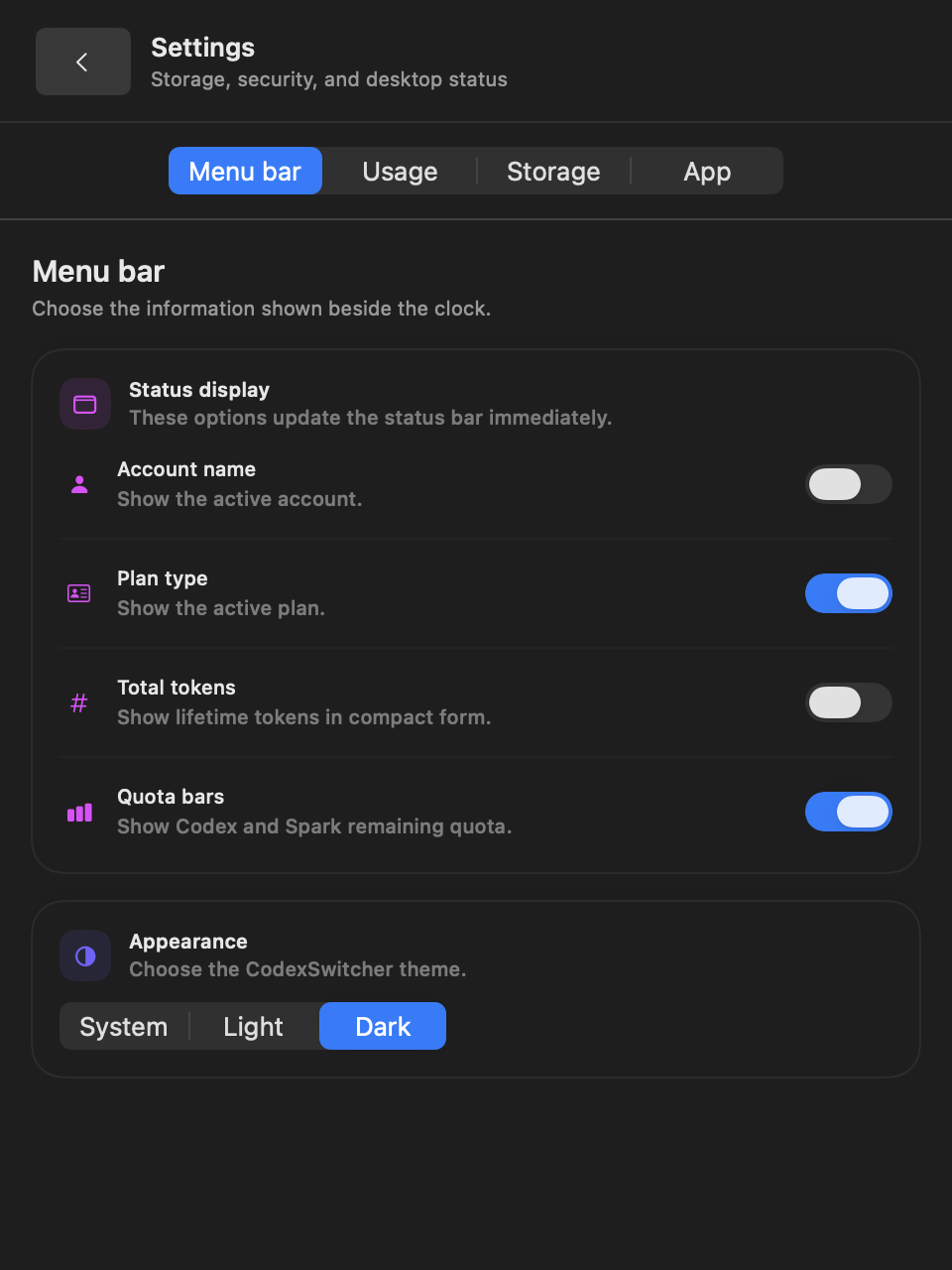
Coordinating with ChatGPT Desktop
Changing auth.json does not prove that an already running desktop process has reloaded it. CodexSwitcher checks whether ChatGPT Desktop is running when a switch completes. If it is, the app exposes a restart action instead of terminating it automatically.
The restart handler asks running instances to terminate, waits for them to exit, and opens the installed application again. If reopening fails, the credential switch remains complete and the UI tells the user to open the desktop app manually. Account state and desktop-process state are treated as related but separate outcomes.

Failure behavior
Several failure cases shaped the implementation:
- A missing or malformed active auth file clears the detected active profile and reports the read error.
- Missing Keychain data blocks a switch or reauthentication before the active file changes.
- A cancelled, timed-out, abandoned, or unsuccessful browser login leaves the current account active.
- A successful login with no valid
auth.jsonis not saved as a profile. - Reauthentication with a different account identity is rejected.
- A failed atomic write reports that the auth file was not changed, then reloads the observed state from disk.
- A usage timeout or unsupported response becomes
Quota unavailablefor that profile and does not mutate credentials. - A failed desktop restart does not undo the completed credential switch.
- The active profile cannot be deleted from the app. Another profile must be selected first.
These outcomes follow one rule: failure in a secondary step must not be presented as failure of a credential transition that already completed, and failure before the transition must leave the previous active account intact.
Evidence in the repository
The implementation evidence is distributed across small modules rather than one account-switch function:
- The auth store contains JSON validation, identity extraction, SHA-256 fingerprinting, same-directory replacement, and
0600permissions. - The login service contains temporary-home isolation, file-backed browser login, cancellation, timeout, and cleanup.
- The profile store contains the Keychain vault and separate metadata and display-label stores.
- The usage service contains the app-server protocol, endpoint handling, timeout, process cleanup, and response normalization.
AppStatecontains the ordering rules for add, switch, reauthenticate, refresh, delete, and desktop restart.- The GitHub workflow builds both Debug and Release configurations on macOS. The beta packaging script checks bundle versions, archive integrity, checksums, signing, and notarization when those credentials are configured.
The repository does not contain an automated UI test suite. Its release checklist therefore keeps interaction testing explicit: login success and cancellation, account switching, active and inactive usage, label-only rename, appearance, persisted menu-bar settings, and desktop restart.
Current limits
CodexSwitcher requires macOS 14 or newer and a compatible Codex executable from Codex CLI or ChatGPT Desktop. Usage fields depend on the app-server response and are not guaranteed for every account.
The current release is described as a beta candidate. The repository can create an explicitly labeled unsigned preview archive with a checksum. Trusted distribution still requires a Developer ID signing identity, notarization credentials, and the documented release checks. A DMG installer and automatic update framework are not configured.
The current design is local to one Mac. It does not synchronize profiles between machines. It also relies on the current shape of Codex authentication and app-server responses. Those are integration boundaries, not data formats controlled by CodexSwitcher.
The result of this work is a concrete model for multi-account Codex use on macOS: isolate login, keep saved credentials outside ordinary UI state, replace only a validated active snapshot, read usage through temporary execution homes, and make desktop restart an explicit follow-up.